
Increase the Default HugePages Allocation from 50% to 60% and Make Room for a Larger SGA
In my previous article exadb-xs memory allocation, I looked at how reserved ECPUs can provide more VM memory without increasing the number of enabled database ECPUs. This time, I want to put that configuration into practice and use more of the default available memory for the SGA.
When a VM is initially created, each VM’s operating system is configured with 50% of the memory allocated to the VM for large pages, and databases are configured to use that memory for their SGA. See the Oracle Documentation manage-vm-clusters.html. You may increase the HugePages up to 60%.
For this test, I configured a two node VM cluster with 8 enabled ECPUs and 8 additional reserved ECPUs per node. I then increased the HugePages pool from the initial allocation of approximately 50% to approximately 60% of Linux visible memory and set both SGA_TARGET and SGA_MAX_SIZE to 25G.
Start with the VM allocation
With 8 enabled ECPUs and no additional reservation, the creation screen shows 22 GB per VM. Memory is calculated from the total ECPU allocation at 2.75 GB per ECPU. Adding 8 reserved ECPUs brings that total to 16 ECPUs and 44 GB per VM.
| Allocation | Per VM | Across 2 VMs |
| Enabled ECPUs | 8 | 16 |
| Additional reserved ECPUs | 8 | 16 |
| Total ECPUs | 16 | 32 |
| Console memory | 44 GB | 88 GB |
| Theoretical SGA ceiling at 50% HugePages | 22.00 GiB 25G cannot fit | Separate pools per node |
| Theoretical SGA ceiling at 60% HugePages | 25.79 GiB 25G fits nominally | Separate pools per node |
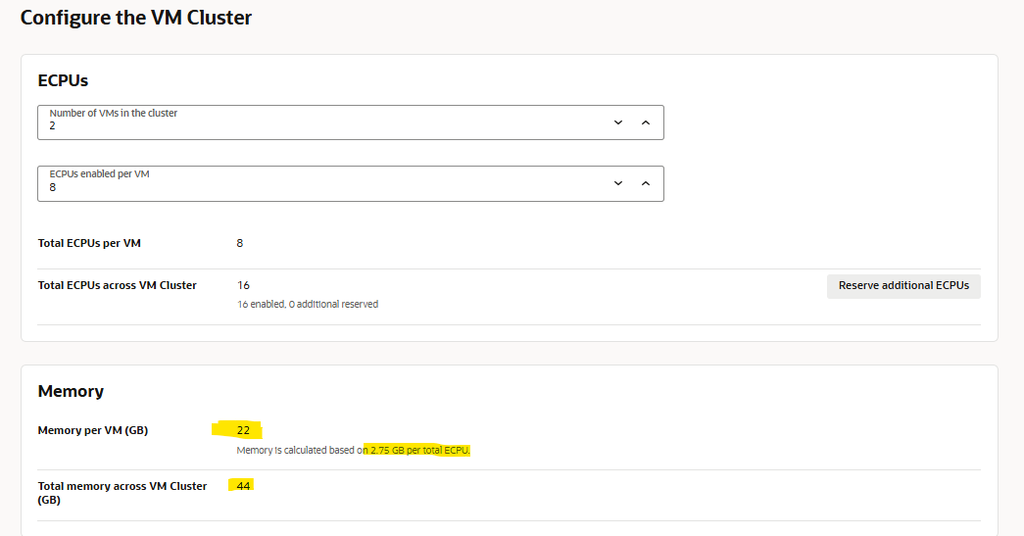
Figure 1 The initial configuration with 8 enabled ECPUs provides 22 GB per VM.
Reserve additional 8 ECPUs per VM
I selected Reserve additional ECPUs and set Total ECPUs per VM to 16. This field includes the 8 enabled ECPUs, so the additional reservation is 8 per VM.
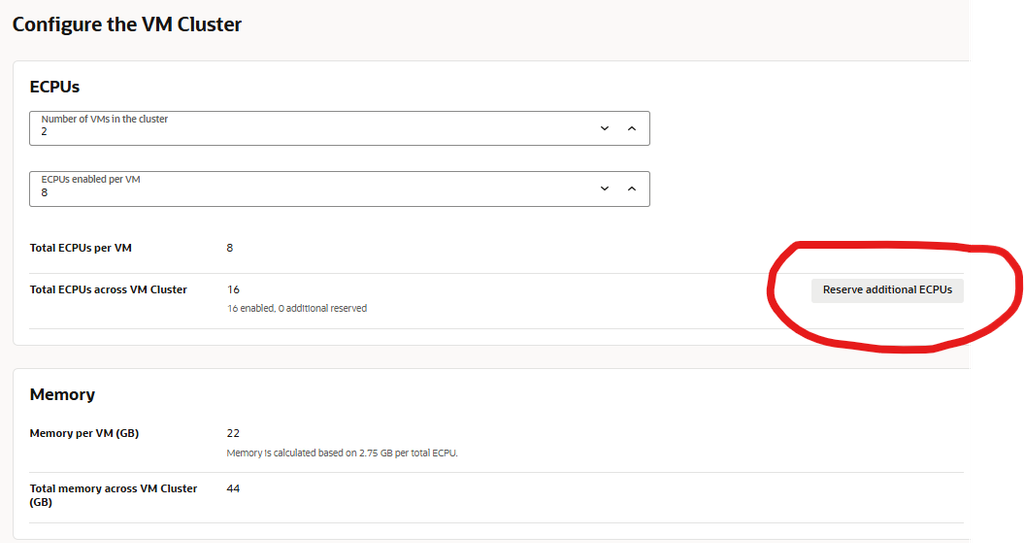
Figure 2 Reserve additional ECPUs opens the reservation settings.
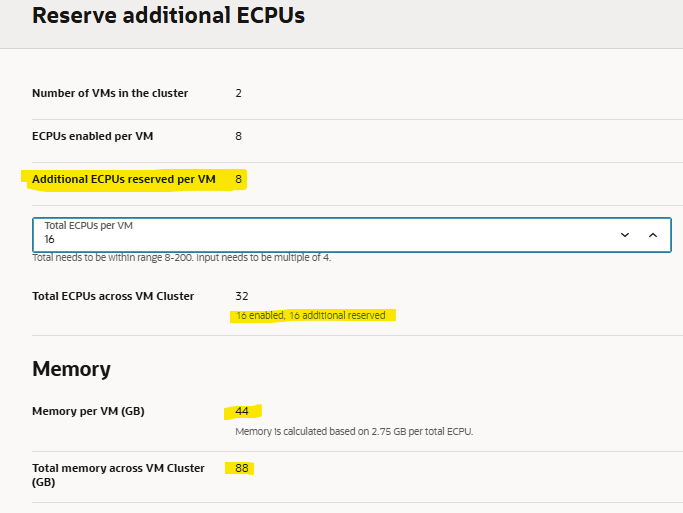
Figure 3 A total of 16 ECPUs per VM gives 8 enabled plus 8 reserved and 44 GB of memory.
The reservation increases the infrastructure allocation. The distinction between enabled and reserved capacity, including its billing implications, is covered in the previous article. This test focuses on making that memory available to the database.
Check the provisioned cluster and database

Figure 4 The available cluster has 2 VMs, 16 enabled ECPUs and 88 GB of memory in total.
Each node has its own memory allocation and HugePages pool. The 88 GB cluster total is not a single memory pool for one instance. The checks below show the output from one node; the operating system configuration must be checked and applied on each node that will run an instance with the larger SGA.
The database initially reported the following settings:
NAME                 TYPE         VALUE
-------------------- ------------ --------
use_large_pages      string       ONLY
sga_target           big integer  3808M
sga_max_size         big integer  3808M
This is consistent with the documentation Database Memory Parameter on Oracle Exadata Database Service on Exascale Infrastructure that states that:
When creating a container database, the initialization parameter,
SGA_TARGETis set by the automation. This will automatically size the SGA memory pools.The setting will vary depending on the size of the database VM total memory. If the VM has less than or equal to 60 GB of system memory,SGA_TARGETis set to 3800 MB. If the VM has 60 GB or more system memory,SGA_TARGETis set to 7600 MB.
Let’s have a look at the HugePages. To show the allocation I used the following script:
awk '
/^MemTotal:/        {ram=$2}
/^HugePages_Total:/ {total=$2}
/^HugePages_Free:/  {free=$2}
/^HugePages_Rsvd:/  {reserved=$2}
/^Hugepagesize:/    {size=$2}
END {
  printf "VM memory:              %.2f GiB\n", ram/1048576
  printf "HugePages pool:         %.2f GiB\n", total*size/1048576
  printf "HugePages share of RAM: %.1f%%\n", 100*total*size/ram
  printf "Allocated HugePages:    %.2f GiB\n", (total-free)*size/1048576
  printf "Free and uncommitted:   %.2f GiB\n", (free-reserved)*size/1048576
}' /proc/meminfo
That results in:
VM memory:               42.98 GiB
HugePages pool:          22.00 GiB
HugePages share of RAM:  51.2%
Allocated HugePages:      3.72 GiB
Free and uncommitted:    18.28 GiB
Calculate and apply the larger HugePages pool
To calculate the number of HugePages I can allocate without exceeding the 60% maximum I again used a script
hp_old_count=$(cat /proc/sys/vm/nr_hugepages)

hp_target_count=$(awk '
/^MemTotal:/     {ram=$2}
/^Hugepagesize:/ {size=$2}
END {printf "%.0f\n", int(ram * 0.60 / size)}
' /proc/meminfo)

printf 'Current pages: %s\nTarget pages: %s\n' \
  "$hp_old_count" "$hp_target_count"

Current pages: 11264
Target pages: 13204
That shows me that current pages are 11.246 and that I can increase to a maximum of 13204.
I then changed dynamically the number of HugePages issuing following command:
sudo sysctl -w vm.nr_hugepages="13204" And running the same memory report again now shows that the HugePages Pool increased from 22GB to slightly more than 25GB. This is the maximum amount I can assign the SGA for my database. At this point in time remember that the database has still an SGA of 3,72GB.
VM memory:              43.04 GiB
HugePages pool:         25.79 GiB
HugePages share of RAM: 59.9%
Allocated HugePages:     3.72 GiB
Free and uncommitted:   22.07 GiB
Make the setting persistent
As the sysctl -w command i issued previously changes only the running kernel configuration, to keep the new count across a reboot, I edited /etc/sysctl.conf. I set the following entry, replacing the existing value rather than leaving conflicting definitions:
vm.nr_hugepages = 13204 and then rebooted the two nodes of the VM cluster. the changes remained persistent.
Increase the SGA to 25 GB
With the larger pool available, I changed both SGA parameters in the database SPFILE:
SQL> alter system set sga_target = 25G SCOPE=SPFILE SID='*';

System altered.

SQL> alter system set sga_max_size = 25G SCOPE=SPFILE SID='*';

System altered.
SCOPE=SPFILE saves these values for a subsequent instance startup as SGA_MAX_SIZE is not dynamically modifiable, So the affected database instances must be restarted before the larger maximum takes effect.
Verify the new SGA after the database restart
After the affected instances have restarted, check the active values on each instance. The final parameter output captured for this test was:
NAME                 TYPE         VALUE
-------------------- ------------ --------
use_large_pages      string       ONLY
sga_target           big integer  25G
sga_max_size         big integer  25G
With this setting, sufficient HugePages must be available at startup; otherwise the instance fails to start.
For a complete validation, also inspect the database alert log for its large page allocation report and rerun the Linux memory checks after the SGA increase.
| Setting | Before | After |
| Enabled ECPUs per node | 8 | 8 |
| HugePages count | 11,264 | 13,204 |
| HugePages pool | 22.00 GiB | 25.79 GiB |
| Share of Linux visible RAM | 51.2% | 59.9% |
| Theoretical SGA ceiling from HugePages | 22.00 GiB 25G cannot fit | 25.79 GiB 25G fits nominally |
| SGA_TARGET and SGA_MAX_SIZE | 3808M | 25G |
Summary
With 8 enabled and 8 reserved ECPUs per node, the VM cluster provides 44 GB of console memory per VM. Increasing the HugePages pool to approximately 60% made room for a 25GB SGA, and the page count survived the node reboot.
This leaves roughly 17 GB outside the HugePages pool in the captured Linux output. That memory must support PGA, the operating system, Grid Infrastructure and other processes. The 60% target is the configuration tested here; it is not a sizing recommendation for every workload. AWR, the SGA Advisor and application measurements still determine whether the larger SGA is useful.